• About
  • Services
  • Portfolio
  • Contact

Content Trends

Content Marketing, SEO and Digital Marketing

  • Home
  • Why Content Marketing?
  • SEO
  • Blogging Tips
  • Social Media
  • Newsletter

7 Blog Marketing Ideas that Increase Traffic and Conversions

May 17, 2012 by Gazalla Gaya

The goal for most bloggers is to increase traffic, engagement, interaction and in many cases income, especially if you are a small business or into affiliate marketing. Blog marketing strategies though time consuming are extremely rewarding in terms of meeting these goals. The secret to effective blog marketing is to slowly build your brand using multiple channels and strategies while at the same time not relying too heavily on any one technique. Each of these blog marketing strategies have immense potential and when combined together are surefire ways to increase traffic and conversions.

#1.SEO

Good SEO techniques and proper keyword research will improve your organic search rankings which in turn will mean that more people will find your site and the net results are an increase in traffic. Of-course, your content needs to be outstanding, relevant and informative for conversions.
An excellent blog marketing strategy actually begins before your post is even written with effective keyword research. Try choosing keywords that are relevant but have a lower competition. The higher you rank for a particular keyword, the more people will see your link and click through to visit your post.
If you find seo or keyword research cumbersome or difficult, a good seo specialist or seo copywriter will do wonders for your organic search rankings. Seo is easy to learn and although Google keeps changing it’s algorithms with Panda and now Penguin, the fundamentals of seo remain the same. SEO techniques should be applied to other search engines as well such as Bing and Yahoo.

#2. Social Networking Sites

The best social networking sites in terms of increasing targeted traffic are LinkedIn, Twitter and Facebook. The key to interacting and marketing successfully in these communities is to engage with others and to promote their content. If you only update your information and links you could come across as spammy and unfriendly. According to most experts, the best etiquette involves:

  • participation
  • sharing your followers info
  • asking questions
  • conversing
  • sharing your own info and links in that order

The social networking sites that work best to increase targeted traffic and also promote your brand are:

Linked-in groups

consist of professionals who are already part of your target audience assuming that you are sharing your info in the right group. They will not only read but if they find the post relevant will engage, share and comment. I shared an article on style guides with one of my LinkedIn groups recently and it was a tremendous boost to my traffic and I also received a ton of comments and social shares.

Twitter

My traffic stats indicate that 20% of my traffic comes from twitter. Twitter marketing though immensely powerful is time-consuming but well worth the trouble. Here are some time management techniques to help you harness the full potential of twitter.

Facebook

Although most people use Facebook for personal social networking, creating a FB fan page for your blog and joining Facebook groups that are interested in your topic are great traffic generators.
Other social networking sites that convert well are those that are set up for a particular industry or profession. Examples of professional networking sites include academia.edu for research and flickr for photo-sharing.

#3. Social bookmarking sites

Social bookmarking sites allow users to post their favorite sites, using tags (or keywords) to categorize and organize them; then other users can take these bookmarks and add them to their own collection or share them with even more users.
The social bookmarking sites that send traffic to my blog time and time again are StumbleUpon, Reddit, Delicious and Digg. Here is a list of various social bookmarking sites that you could use as part of your blog marketing strategy.

#4. Blogging communities or “social blogmarking”

Blogging communities or “social blogmarking” sites like blokube and blogengage are great way to promote your blog and build backlinks. Blokube is a good social community for search engine marketers and bloggers.
BlogEngage is another community where you pay a fee and register. The key again is to build relationships in these communities.

#5. Guest posting

Jon Morrows, the associate editor for Copyblogger actively promotes the strategy of guest posting, believing that guest posting is the one leading way to increase traffic to your blog. Guest blogging was and still is one of the few techniques remaining in the list of legitimate and Google approved back linking.

#6. Email list subscribers

Email list subscribers are a group of people that are already interested in your content. It’s easy to promote a new post, ebook or event by emailing them. Popular email list provider services such as Aweber and Constant Contact allow you to conveniently send out appropriate emails, thanking your list members, sending them free webinar info. or free ebooks and whitepaper offers as well as a weekly update on your latest posts.

#7. Google Adwords

Although I have yet to try this strategy, many famous bloggers promote the concept of paying for advertising your blog. If you are an affiliate marketer, the advantage with Google Adwords promotion is that your ads reach people who are actively looking for information on your product. When your ad is displayed to them, they will be interested in seeing what you have to offer, If done right, your ads will reach out to your target audience and will mean more income potential.

Please share with us blog promotion ideas that have worked for you. Also, please generously share this article on all your social networks. Thanks.

Related Posts

You may also like:
Blog Post Checklist: 8 Essential Tasks before You Publish
Top 3 Content Mistakes that Cost You Valuable Conversions
How To Write Quality Content that is Search Engine Friendly


Filed Under: Blogging Tagged With: blog marketing, blog promotion, blogengage, blokube, increase traffic, linkein groups, social bookmarking, social networking

High Quality Content – 4 Experts Share their Views

April 29, 2012 by Gazalla Gaya

“Content rules” and will always rule as long as high quality content is in short supply. Savvy online entrepreneurs already know that consistently creating high quality content will increase traffic and audience engagement on their sites, lead to a higher ranking, more subscribers, greater brand awareness and ultimately more business. Copyblogger is a perfect example. Copyblogger gets tons of traffic, engagement, subscribers and business simply by adhering to this rule of creating high quality content. The site has an Alexa ranking of 2,100 and over 1,00,000 subscribers.

So what is high quality content? Four web editors share their views to this all important question. All of them have spent their careers creating high quality content. They are regular contributors to the Web Editors blog, a blog that has some great tips on creating and editing quality content, seo and current trends in the web editing field.

Keep reading for inspiration and advice from these top content creators.

#1: High quality content isn’t available anywhere else on the web

High quality content is highly readable material that isn’t available anywhere else on the Web. The facts may be the same, but it is written with the style, voice, and tone that is unique to you as the author and with the interest of the audience in mind for the vehicle in which it will appear.
The best way to ensure top quality content is to begin every piece from scratch and write with the perspective that best drives the point home for that audience. The only thing I might copy and paste are quotes.
Alan Eggleston, Web Writer and Editor at E-Messenger Internet Consulting, Inc.

#2: High quality content answers questions, educates, is well researched and easy to read.


High-quality content gives readers what they’re looking for. It answers questions, it educates, it is well researched and easy to read. It establishes you as a trusted source of good information and gets readers to come back for more.
I work for a peer-reviewed publication, so we have a pool of advisers who review some of our articles and recommend them for publication (or not). For columns, blog posts and other content that doesn’t go through peer review, we vet the authors based on their expertise and seek authors out at professional conferences. We keep a close eye on what readers want to know by looking at our Google Analytics stats.
Jennifer Ford, Writer, Copyeditor, and Website Editor.

#3: Top 3 characteristics of high quality content: (1) usefulness (2) clarity and (3) brevity.


This is a great question, and when I sat down to answer it, I quickly came up with a LONG list of attributes for quality content. Great content, of course, depends on your audience and your objective, so a deep understanding of those two items should drive your content choices.
Upon reflection, my top 3 characteristics are: (1) usefulness (2) clarity and (3) brevity. Since I write and edit for green businesses, it has to be of value to those businesses – helping them better sell their services, broaden their audience, enhance their brand image, etc. The more useful tidbits they take away from my site, the more likely they are to return. Clarity means writing simply enough to get my message through all the noise that’s out there, and in terms that resonate with my customers. Brevity recognizes the reality that people are time-starved and often just scanning for key points. Minimizing words – or identifying just 3 attributes of quality content instead of my long list – respects my customers’ time.
I know this is just the tip of the “quality content” iceberg, and I am interested to read what others think.
Alison Lueders, Website Writer and Editor for Green Businesses, Principal at Great Green Editing.

#4: Answering the audience’s questions is paramount for great content.

Answering the audience’s questions: this is paramount for great content. It sounds simple, but it’s very hard to do well. And I think the difficulty is 1 part logistical—finding out what the audience needs—and 9 parts emotional—getting beyond what you want to say to reach the zone where you write or produce what the audience needs to know, and only that. It takes real practice and discipline to get out of the way.
Anne Moreau, Editor and Proofreader for Publishers and Creative Professionals.

What in your view, is high quality content? Please share your thoughts in the comments section below. If you like this post, please share it generously on all your social networks.

Filed Under: Web Content : Ideas, Tips and Resources

Twitter and Time Management: Best Strategies and Tools

April 17, 2012 by Gazalla Gaya

Social media pundits advise every business to promote their brand on Twitter primarily due to the sheer number and influence of it’s users.Twitter marketing although immensely powerful is also time consuming and if you are not careful, you could spend hours daily, trying to keep up with twitter conversations and power users.

According to social media expert Shama Kabani, “Effective marketing on Twitter takes time and patience. But it also takes more than just selling or pushing your message. The key to success lies in constantly engaging and interacting with your customers.”

So how do you effectively reach your target audience, know who is talking about your brand and know when is the best time to catch the maximum number of your followers without spending the whole day on Twitter? The secret lies in these strategies and time management tools outlined below.

Best Strategies for Time Management

  1. Schedule a percentage of your tweets. Although, Twitter interactions and conversations are essentially what make Twitter powerful, a certain percent of your tweets such as advertising your brand and links to your blog, can be fed into tools like Hootsuite days or even weeks in advance.
  2. Follow other people’s lists. If an influential blogger in your niche has created the list, you will most certainly be able to follow all the important tweeps of your industry in one list.
  3. Create microlists so that it’s easy to follow a section or niche. For example you could make a separate list for social media marketers, bloggers, journalists and writers.
  4. Search for keywords and hashtags with Twitter search or Hootsuite. Hashtags allow you to quickly scan relevant info and tweet to your followers.

Best Time Management Tools

Hootsuite is an excellent time management tool. Hootsuite allows you to:

  • schedule tweets
  • keep up with multiple streams on one dashboard
  • manage multiple social profiles
  • track brand mentions
  • analyze social media traffic
  • monitor keywords and hashtags
  • Hootsuite

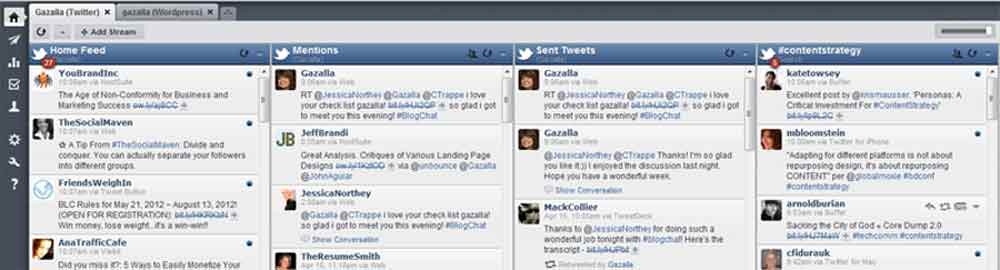
    The Hootsuite dashboard allows you to see a quick overview of all your twitter activity (as well as other social media activity) including your twitter stream, your interactions, brand mentions and direct messages. You can also compose and schedule your tweets days in advance.

    Expert Hootsuite users set up several searches for their keywords with effective use of hashtags to monitor relevant conversations. For example, if you are a small business consultant and you want to reach out to people who need help, you can put in a search for certain phrases such as ”need help with” “small business” or “small busiess advice.”

    #2. News Aggregators such as Summify

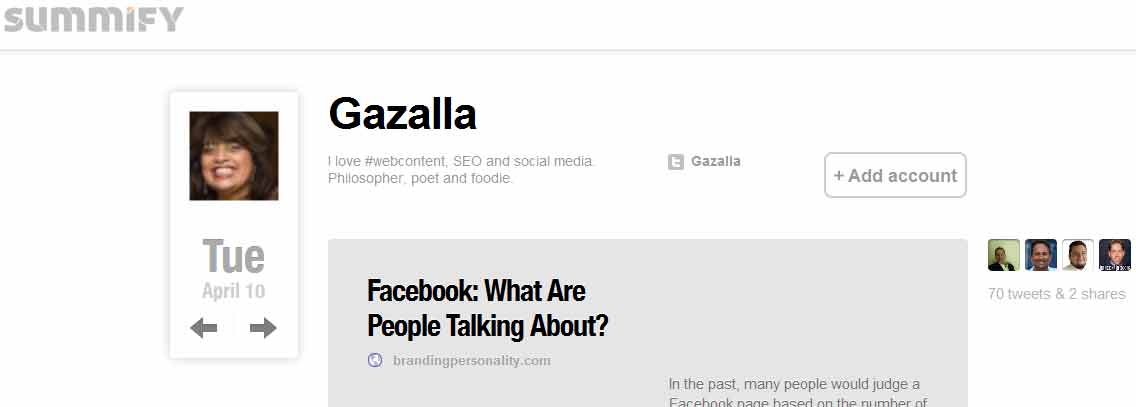
    Sometimes the best way to quickly glean the key points and important news is to use a news aggregator tool such as Summify. You get a periodic summary of news articles from your social networks based on relevance and importance.

    Summify helps you quickly filter through your endless twitter stream to find content that is relevant and valuable to share with your followers.

    #3. Best Time to Tweet Tool such as Tweriod

    Tweriod analyses your tweets and those of your followers to give you the best time to tweet depending upon the time when the maximum number of your followers are online. Tweriod shows you the number of followers on Twitter per hour, on weekdays and on weekends.
    Tweriod

    #4. URL shorteners such as bit.ly

    Bit.ly allows you to quickly track the metrics and reach of a tweet. It’s a major time saver as you can see several statistics at one time. In addition to seeing which post got the most link love you can also see tons of other interesting statistics which will help in your future content strategy:

    • Referring sites and clicks for your bit.ly URL
    • Referring sites and clicks for all bit.ly users that shortened the same target URL
    • Time-based runchart for clicks
    • Pie chart showing clicks by country
    • Twitter conversations with the target URL
    • A list of bit.ly users that also shortened the URL

    #5. Chat Tools such as Tweetchat

    Twitter chats are one of my favorite ways of interacting with people and keeping up with other bloggers and social media enthusiasts. The conversations usually fly by really quickly and it’s a big help to use Tweetchat. TweetChat will automatically add your chat hashtag to each of your tweets, so you don’t need to remember to do so each time. It aggregates all of the other Tweets in the chat and allows you to follow the stream as it auto updates. Tweetchat allows you to control the speed at which the tweets show up and the smart pausing feature allows you to scroll down and reply to the right person.

    Some other time savers include:

    • Tweetstats shows you your tweet cloud and your follower stats and
    • Manageflitter shows you which of your followers are inactive so that you can flush them out. It also has a number of other interesting stats such as the most talkative tweeps, followers you are not following, number of people you are following who are not following back.

    According to Wikipedia, “Twitter’s ecosystem of applications and clients crossed one million registered applications in 2011.”

    In conclusion, it is also a waste of valuable time to use too many tools and so the best strategy would also be to focus on the 2 or 3 important tools that work for you.

    What strategies and tools are you using to efficiently manage your time on Twitter? Please share your ideas in the comments below. If you like this article, please share it generously on all your social networks.

Filed Under: Social Media Tagged With: bit.ly, hootsuite, summify, time management, tweriod, twitter, twitter tools

Blog Post Checklist: 8 Essential Tasks before You Publish

April 3, 2012 by Gazalla Gaya

Congratulations! You’ve written a great post and now it’s time to hit the publish button. However, the web is full of sub-standard content and the only way to separate yourself from all the noise is to produce truly outstanding work. If you also perform the necessary due diligence and checks before you publish, you are more likely to establish yourself as a credible source and as a writer who puts quality before quantity.

Before you publish, it’s important to ensure that:

  • You have proofread and edited for spelling, punctuation and grammatical errors.
  • Your post is easy to read and
  • Your post is search engine friendly.

Here is a quick checklist of essential tasks before you hit the publish button:

#1. Proofread for error free copy; Check Grammar and Punctuation

Punctuation can save a life

Here’s a great example:”Let’s eat Grandma” and “Let’s eat, Grandma”

Proofread and test your copy for the proper:

  • Sentence structure
  • Grammar
  • Punctuation
  • Spelling
  • Numbers
  • Style

Is your copy clear, concise, coherent, captivating and compelling?
Edit your copy so that your sentences are crisp and easy to understand.

#2. Optimize your Headline for Social Media

The true challenge in these days of twitter and social media marketing is to write headlines that are:

  • 140 characters or less
  • attention grabbing
  • search engine friendly

Headlines can make or break your blog promotion efforts. The first impression people have of your content are your headlines as they show up on rss feeds and on social media sites such as twitter and Facebook. If your headlines do not attract, then readers will not read your posts. Copyblogger has a great article on the art of crafting headlines that work. Before you publish, your headlines need to be optimized for social media.

#3. Seo

Seo your post in 5 easy steps:

  1. Does your copy include the relevant keywords?
  2. Include your keywords in your title tag, headlines, copy and anchor text.
  3. Add keywords to your metadata and description.
  4. Certain WordPress plugins such as All in One Seo Pack and WordPress SEO Plugin by Yoast are extremely useful for gathering your keywords, description and metadata.
  5. Are your images optimized with the alt tag and have you used an image optimizer such as smush.it for optimizing image size?

#4. Links

For seo purposes, it’s important to have internal as well as external links. Always link to another related post on your site. Test all the links on your site as part of regular quality assurance of your post.

#5. Html Tags

You don’t need to be a pro in Html but a little knowledge of html tags will go a long way in helping you optimize your copy. The W3 schools have excellent tutorials for Html, Css and HTML 5.0 as well.

  • These html tags open your external links in another tab of your browser so that visitors do not leave your page. <A href=”http://example.com” “target=_blank”></a>
  • Alt tags are extremely useful html tags. They describe your image to search engines and are also useful for blind readers, certain mobile phone users and users that use screen readers and text browsers.
    <img decoding="async" src="smallcat.jpg" alt="Small Cat Image">
  • More and more users are reading through mobile devices. Read up on the upcoming html tags that make it easier to view your site on mobile phones. Use the viewport meta tag to control layout on mobile browsers.
    <meta name="viewport" content="width=device-width, initial-scale=1, maximum-scale=1">

#6. Make your Copy Easy to Read on the Web

Most readers scan info. on the web rather than read everything for 2 reasons:

  1. It’s easier on the eyes to scan info when people read from their laptop, tablet or mobile.
  2. There is an overload of info. on the web today and scanning saves time.

If a reader first scans your post and finds it useful, he is more likely to read your entire post or article.
Here are some tips for making your blog easy to read and scan:

  • Proper use of headings, subheadings and bold text will guide your readers through the important elements of your copy.
  • Bullet points and numbered lists are easy to scan for key pieces of info.
  • Include lots of white space.
  • Ensure that your copy is not too cluttered with too many distracting elements.

#7. Add Categories, Tags and Slugs (WordPress blogs)

Categories provide a helpful way to group related posts together, and to quickly tell readers what a post is about.
Tags are essentially keywords for each page/article you create. Search engines look for these tags and index your page accordingly. For example, if you were writing a recipe for brownies, then the category would be dessert and the tags could include recipes, brownies and chocolate. WordPress creates a page for each category and tag, which helps readers find the topics that interest them.
A category or tag can consist of multiple words, but this creates a problem, because website addresses cannot contain spaces. For this reason, WordPress creates a “slug” for each category and tag. The slug removes spaces and converts all text to lowercase. To change the URL that appears in a reader’s Web browser when they view a category or tag page on your WordPress blog, modify the slug for that category or tag.

#8. Include a Call to Action

Every post needs to end with a valid call to action. It could be as simple as requesting customers to sign up for your newsletter, invite interaction on your post or buy your product. Research shows that customers want to be guided and it’s beneficial to use language that propels them forward.

Have I missed any essential tasks? Please feel free to add and share your ideas. If you liked this post, please share it generously on all your social networks.

Filed Under: Web Content : Ideas, Tips and Resources

7 Resources that Accurately Predict the Best Content for Your Audience

March 16, 2012 by Gazalla Gaya

Ever wish that you had a crystal ball to predict which content will most influence your audience? The good news is that with all the resources on the internet today, you don’t need a crystal ball. You can accurately pinpoint what your audience is looking for and create the right content, at the right time for your audience.

The only way to influence people is to talk about what they want and show them how to get it ~ Dale Carnegie

The secret to being an influencer on the web is to write articles and blog posts that people want to read. The one surefire way to engage your audience is to write about stuff that your audience will find useful in their daily lives.

What questions do your audience want answered?
Once we know the answer to this all important question, content creation is a snap. The writing process becomes an enjoyable adventure where we wait in anticipation for audience feedback and participation.

The internet is filled with resources that we writers can tap into to find out what is foremost on peoples’ minds. These are also the same resources that can help cure temporary writer’s block and simplify the entire writing process.

Here are some tools that will guarantee audience engagement since they are search terms put in by real people doing research on the web:

#1) Google Keyword Tool

The Google Keyword Tool is a goldmine of information and is also an essential seo tool. It shows you actual searches that match your search query. You can see how many times a particular keyword was searched globally, locally, monthly and annually. You also get a good idea on the number of searches for related terms. Here are the content ideas I got by simply putting in a search for financial planning:

  • Financial planning salary survey information
  • Retirement planning
  • Financial planning best investment options
  • Business financial planning
  • Financial planning industry statistics
  • Christian based financial planning

Google's keyword tool

#2) Q & A Websites

Q & A websites are excellent places to get content ideas and simplify the writing process.
Quora, Linkedin answers, Yahoo answers are all tremendous resources for finding out what is foremost on peoples’ minds.

A quick search for social media questions gave me these ideas to research or blog about:

  • The next big social app
  • How to build a sustainable business on Pinterest
  • Social media strategy when pitching for a new account
  • Klout’s competitors and how good they are
  • How to share a private twitter list with others

Quora

#3) What’s Trending Websites

These websites keep up with the latest trends or topics of interest and measure how they fare over a period of time. They interest us as content creators as they easily allow you to stay current and on top of the latest trends. Some examples of trending websites:

  • Ice Rocket
  • Alexa’s What’s Hot
  • Google Trends
  • Yahoo! Buzz Index

It’s all about trends.

#4) Google Instant and Searches Related to..

Google Instant and Searches Related to (your keyword) are both tremendous resources for content ideas.

Google Instant is a search enhancement that shows results as you type.
I began typing social media and got these results:
Google Instant

Searches related to..are the search terms that you see at the bottom of your results page. It helps the writing process to see what other people searched for relating to your topic.
Related Searches on Google

#5) Adjusting Content According to Clicks Using Url Shorteners

Here is an interesting piece I read in Advertising Age:

Click behavior is already starting to change content in real time based on click behavior
A news organization is already changing the content of articles based on what readers do when they click using url shorteners such as bit.ly.
If a certain link gets a lot of clicks, but readers don’t scroll below the third paragraph, editors can see that a headline might be strong, but that the content of the story needs a boost.
“If scroll depth is not that impressive, you can change the content of the page based on what you are seeing.”

In addition to seeing which post got the most link love you can also see tons of other interesting statistics which will help in your future content strategy:

  • Referring sites and clicks for your bit.ly URL
  • Referring sites and clicks for all bit.ly users that shortened the same target URL
  • Time-based runchart for clicks
  • Pie chart showing clicks by country
  • Twitter conversations with the target URL
  • A list of bit.ly users that also shortened the URL
  • #6) Google Analytics

    The Content section of your Google Analytics will give you tons of information that will help you in your content writing strategies.

    • If you go to the Content section of Google analytics -> Pages, you will get an idea on the most popular pages of your website.
    • Pages per visit are the average number of pages a visitor views when visiting your site.
    • You will also see a ton of information such as average time on page and bounce rate.

    These statistics will give you an idea on how engaging your content is and also which piece of content or topic is worth revisiting from another angle. If you notice that the top pages on your website are all referencing a particular topic, then you could create more content on similar topics. This way, you will have additional content that attracts even more visitors. Content Ideas Real-Time helps you understand what content is working best and which sites are sending you the most traffic.

    Site Search: To set up Site Search, click on your website’s profile from your Google Analytics home page. Next, click on the settings wheel icon, located in the top right corner of the orange toolbar for your website’s profile. Under the “Profile Settings,” there is a section for “Site Search Settings.” Change the selection to “Do track Site Search.”

    For a listing of search terms that people are searching for on your site, click “Site Search” under Content and then click on Search Terms for your site search data.

    You will see:

    • the number of pages people viewed after making their searches
    • the percentage of people that exited after their searches and
    • other related data.

    This should give you a better idea of the type of content people are expecting to find on your website. If you do not have content that corresponds to the keywords that people are searching for, you could create content on that topic. If you have content that corresponds to what people are searching for and it’s a popular search, you could create related posts on that topic.

    #7. Poll your Audience

    The simplest way to find out what your audience wants is to poll them. There are a number of easy tools such as Polldaddy, which allow you to create a poll in under 5 minutes.

    What do you do to learn what your audience is searching for? I would be very interested to know. Please share them in the comments section below.

    Filed Under: Web Content : Ideas, Tips and Resources

    • « Previous Page
    • 1
    • …
    • 7
    • 8
    • 9
    • 10
    • 11
    • Next Page »

    Free Email Updates

    Receive free updates on the latest in digital marketing.

    About Content Trends

    Content Trends covers the entire spectrum of content marketing. Get tips sent to your inbox on content marketing strategy, content writing, SEO, blogging and social media. Learn more

    Copyright © 2026 · Metro Pro on Genesis Framework · WordPress · Log in